Figma to After Effects shouldn't be this hard — so I built DISKO Beam
Let me set the scene. Someone hands you a Figma file full of slides — a deck, a pitch, a set of lower-thirds, whatever — and says 'can you animate these.' Easy gig. You just need the layers in After Effects. That's the whole job. Get the art out of one app and into the other, with the groups and the text intact, so you can start moving things around. How hard could it possibly be.
Reader, it is somehow the hardest part of the entire project.
Am I missing something, or does Figma actually suck for this?
Genuine question. Figma is everywhere now — every designer hands you a Figma link like it's the most natural thing in the world. And for them, sure, it's a nice browser tab. But the second you need to get that work OUT of Figma and into a real motion tool, you hit a wall built specifically to keep you inside Figma. You can't just export the slide components as tidy PSDs. You can't hand After Effects a layered file it understands. The format is locked down, the API shifts under you, and the 'export' options assume you only ever wanted a flat PNG.
So you go looking for the bridge everyone swears exists. There's that one After Effects converter plugin people recommend — and it breaks. It chokes on real decks, mangles the groups, drops the text, or just silently imports nothing. Every time Figma touches its API, the thing that was held together with tape falls apart again. I bought Demotion, which promises to do exactly this. For me it's a piece of garbage that doesn't work — money gone, slides still trapped.
I just want these stupid slides someone made in After Effects. That's it. That's the entire request.
The job is small. The tooling makes it enormous.
Here's what's maddening: moving a frame from Figma to AE is not a hard problem. A frame has a size. It has groups. It has text with a font and a color. It has some rectangles and ellipses. Worst case, it has a fill or an effect you can't perfectly translate, in which case you rasterize it crisply and move on. That's it. There is no reason this should cost a subscription, require a login, or break every quarter. It should be a small, boring, reliable script.
So I built the small, boring, reliable script. It's called DISKO Beam, and it does the one thing I kept failing to do at 1 a.m.: get the slides into After Effects, properly.
DISKO Beam: select frames, get precomps
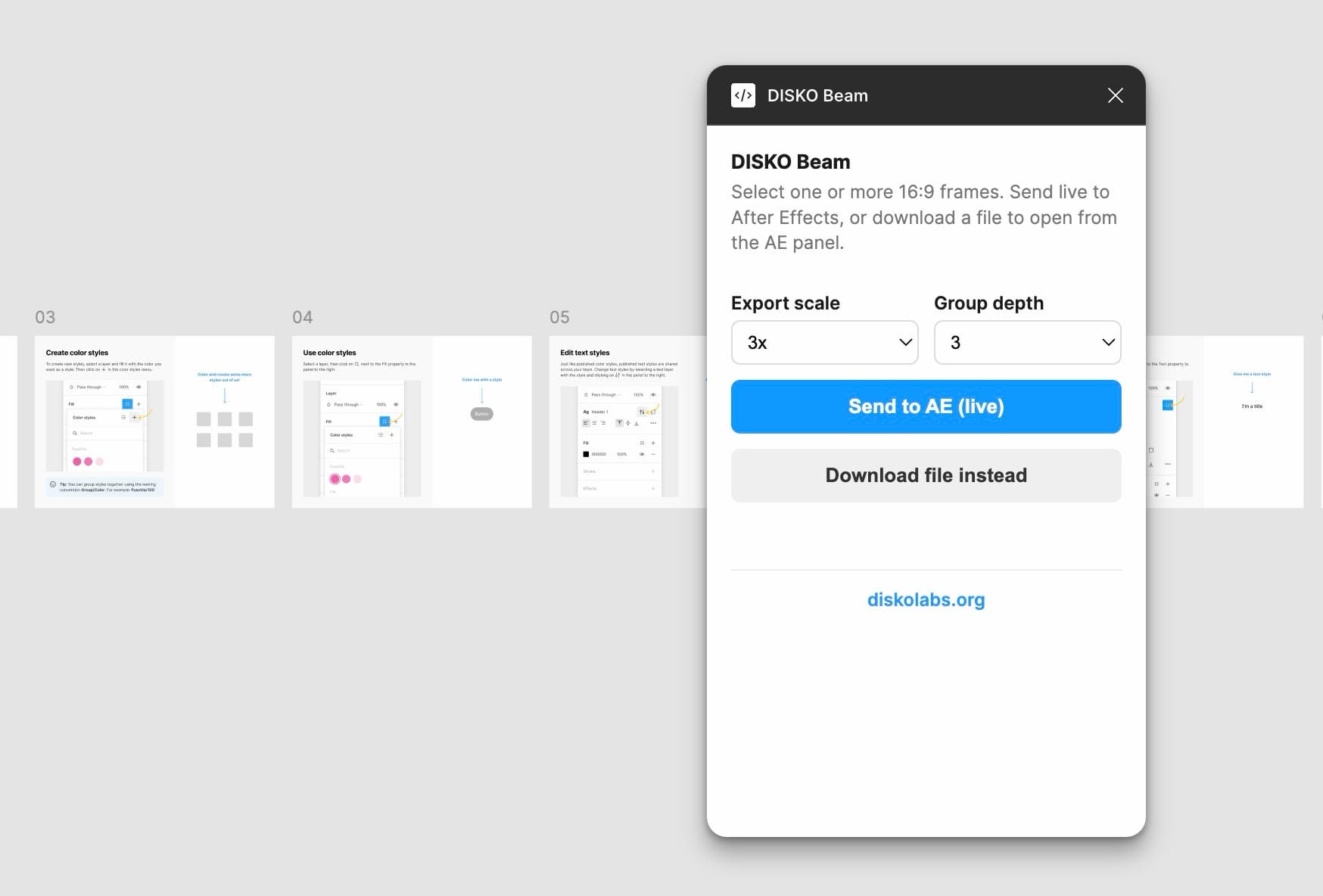
Select your 16:9 frames in Figma, and they land in After Effects as organized 3840×2160 / 30fps comps. Figma groups are rebuilt as nested precomps, so the structure you designed is the structure you animate — no flattened pancake of a single image. Text with a single style comes in as a real, editable AE text layer with the right font, size, color and alignment. Plain rectangles and ellipses come in as vector shape layers, corner radius and stroke and all. Anything with gradients, images or effects rasters at your chosen scale so it still looks exactly right.
- Selected Figma frames → 4K, 30fps After Effects comps
- Groups become nested precomps — your structure survives the trip
- Single-style text and simple shapes stay editable; everything else rasters crisp
- If anything won't translate, it falls back silently instead of importing broken
Two speeds: download-and-import, or live send
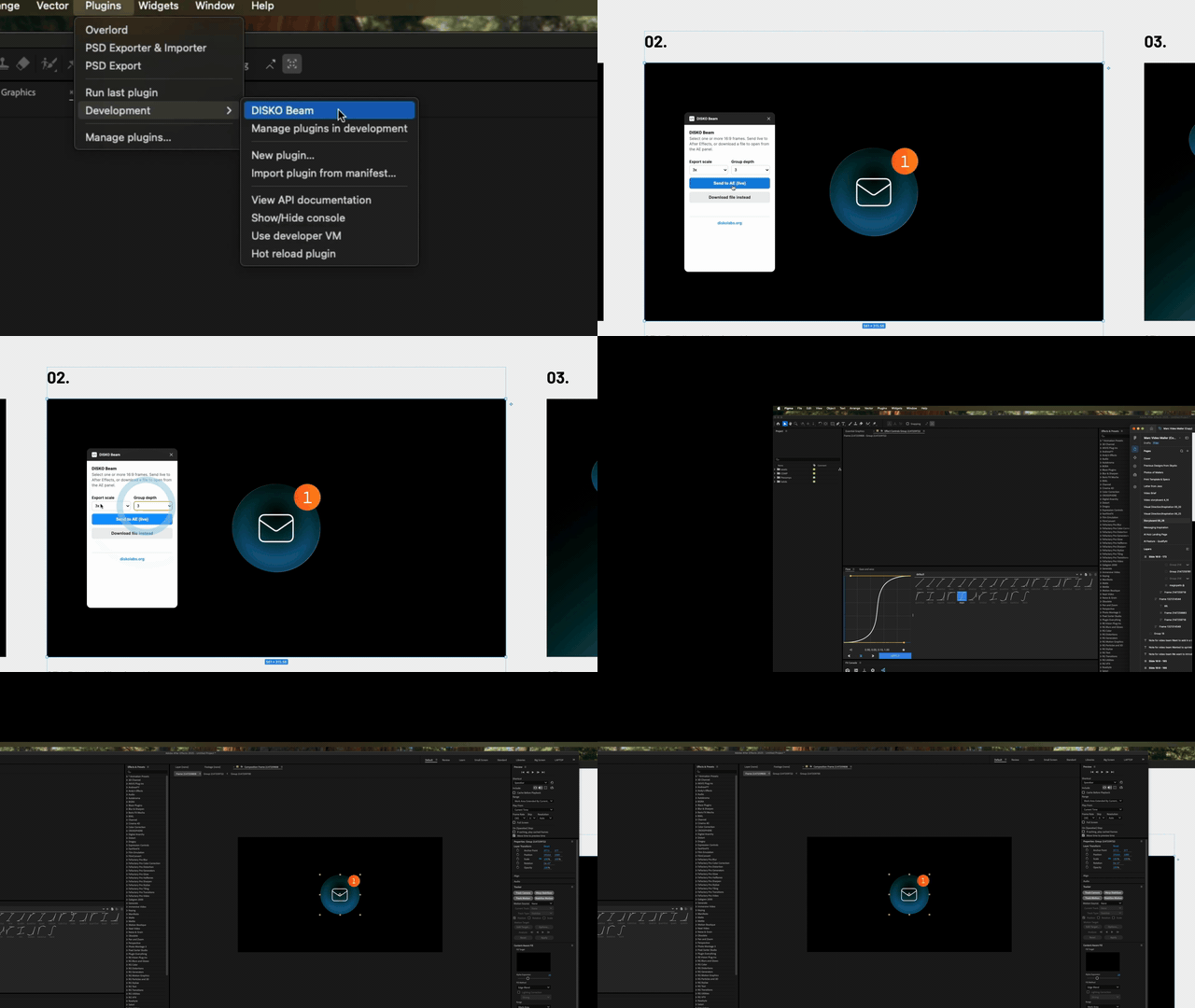
Fast path: in Figma, select your frames and click 'Download file instead.' Over in the AE panel, click 'Import newest' and it grabs the latest export straight from your Downloads — no file picker, no hunting. Fastest path: run the tiny local bridge once and leave it open, flip on 'Watch for live sends' in AE, and now clicking 'Send to AE (live)' in Figma builds the comp by itself a second later. No files, no clicking. The bridge only moves data from Figma to your own disk, because Figma plugins aren't allowed to write files directly — it runs on 127.0.0.1 and talks to nothing else.
Free, local, and yours
No subscription. No account. No plugin store gatekeeper deciding whether you're allowed to move your own work between two apps you already pay for. It's a local Figma dev plugin plus an AE panel plus a little Node bridge — you install it once and it keeps working, because nothing about it depends on a server staying up or an API staying still. Download the kit from the DISKO Labs page, drop the AE panel into your ScriptUI Panels folder, import the plugin in Figma, and get your slides where they were always supposed to go.
Moving art from Figma to After Effects is not a premium feature. So now it's just a free script that works.