A free app that transcribes a whole folder of footage — offline, on your Mac
You've got a folder. Maybe it's a documentary dump — twelve interviews, a dozen B-roll clips with wild audio, a couple of voice memos you recorded in the car. Maybe it's a season of a podcast. Either way, you need it all in text, and every option in front of you wants a credit card and an internet connection.
The web transcription services charge by the minute and upload your footage to someone else's servers. The desktop ones make you feed files in one at a time. And the free scripts want you to install Python, then Homebrew, then FFmpeg, then cry.
So we made the boring, useful version
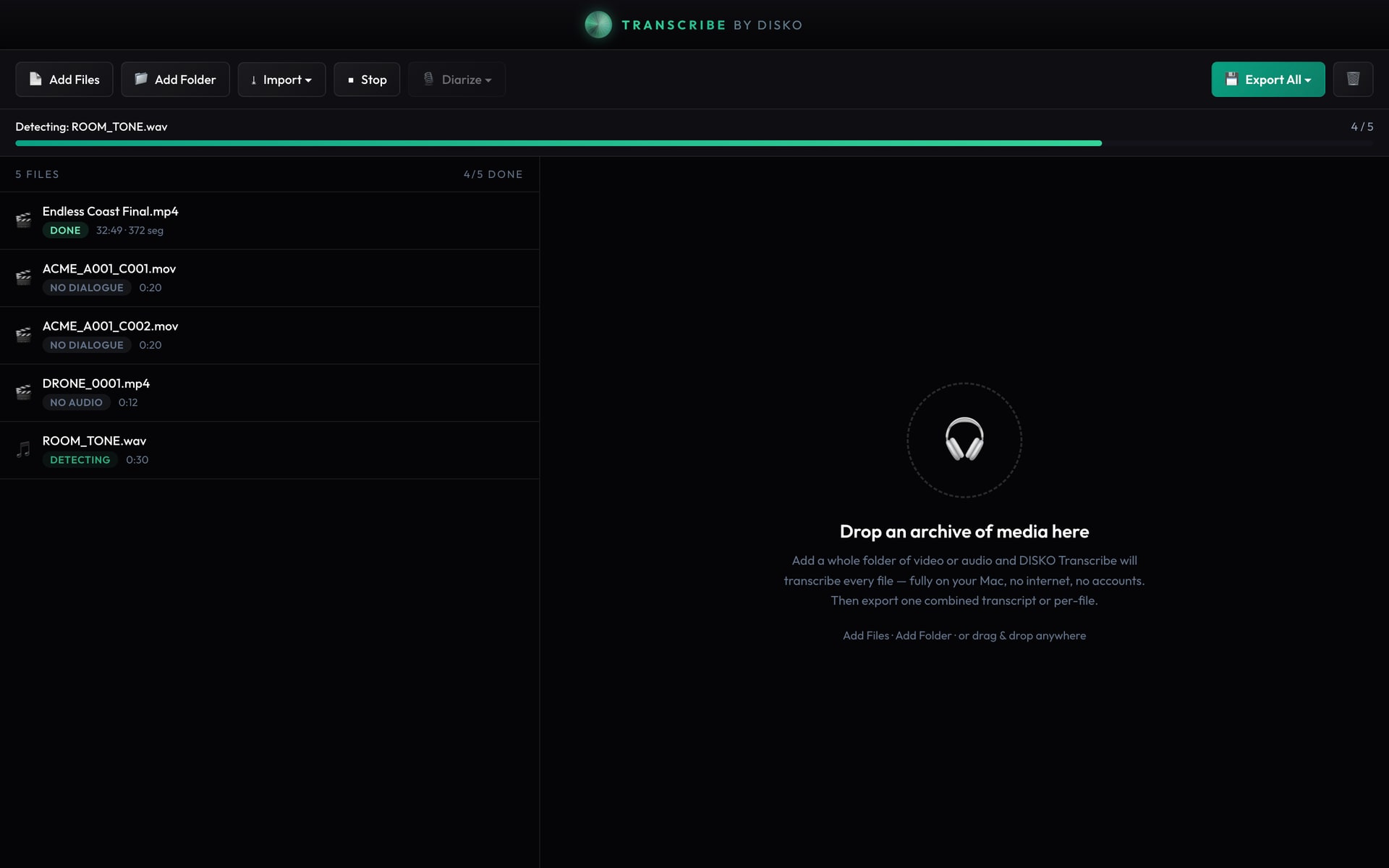
DISKO Transcribe is a free, standalone Mac app that does one thing well: point it at a folder of video and audio — or paste a link from YouTube, Vimeo, Wistia or Zoom — and it transcribes everything, unattended. It runs the same on-device Parakeet speech engine that powers transcription in DISKO Desktop, so nothing leaves your machine and there's no meter running.
What it actually does
- Batch-transcribes an entire folder (or a nested archive) of mixed video and audio in one pass
- Exports one combined transcript across every file, or a separate transcript per file
- Formats: TXT, SRT and VTT for subtitles, and JSON when you want the timestamps to script against
- Optional speaker diarization you trigger as a post-step — label who said what
- 100% offline: FFmpeg, the Parakeet model, and the VAD + diarization models all ship inside the app
Not just files — paste a link
The footage you need transcribed doesn't always live on your drive. A client's review link, a webinar recording, a Zoom call, a reference video on YouTube — DISKO Transcribe pulls transcripts straight from a URL too. Paste a link from YouTube, Vimeo, Wistia, Zoom and more, and it fetches the audio and transcribes it the same way it handles a local file, with the same offline engine and the same export formats.
No Homebrew. No Python. No download-the-model-on-first-run surprise. You install it, drop files in, and it works on a plane.
Why on-device matters here
Interviews, medical footage, unreleased music, a client's rough cut — the stuff you most need transcribed is often the stuff you least want to hand to a third party. Running the whole pipeline locally means the audio never touches a server, and the only limit on how much you transcribe is how long you're willing to leave your Mac running. Apple Silicon chews through it fast.
Drop a folder in. Get a transcript out. That's the whole app.
It's free, it's macOS (Apple Silicon), and it's from the same shop as the rest of the DISKO tools. If you already live in DISKO Desktop you'll recognize the engine; if you don't, this is a no-strings way to try it.