Animated 3D travel maps on your Mac, with a native After Effects export
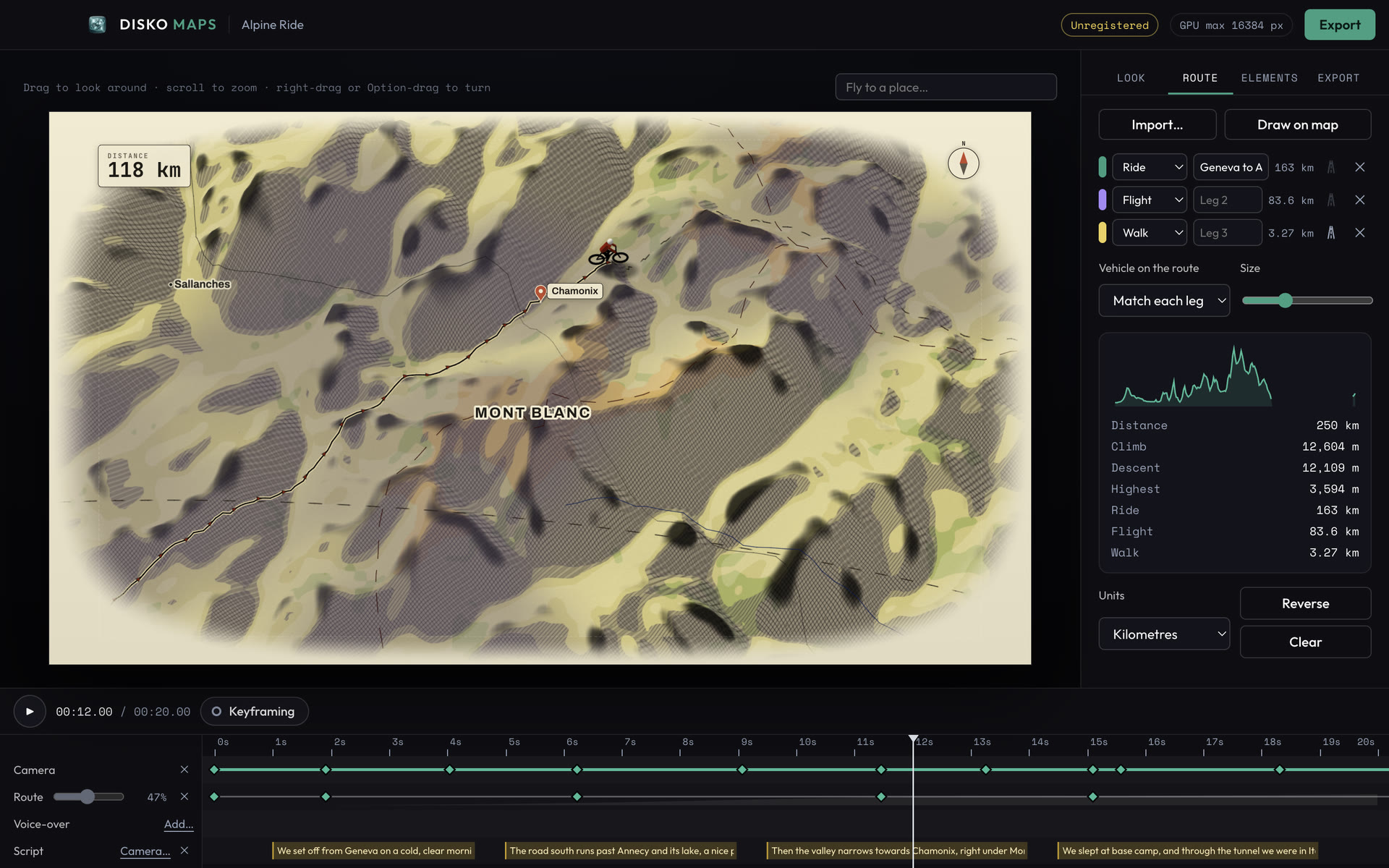
Every travel doc, true-crime series and explainer has the shot: a map, a line drawing itself from A to B, a pin dropping on the town where it happened. It is three seconds of screen time and, done the usual way, a day or two in After Effects: find terrain, stitch tiles, build a route, keyframe a camera, then do it again when the edit changes.
The plugins that speed this up stream map tiles from someone's server, want API keys and a monthly data plan, and leave you wondering what the licence says about broadcast. We wanted the boring, reliable version: a map maker that lives on your Mac and hands you clean files.
So we made one
Search for a place, drag a frame around it, and DISKO Maps builds a 3D terrain map of it in seconds: the relief from open elevation data, real lakes and land cover, rivers, borders and place names. Then you put the story on it. Import a GPX, KML or GeoJSON track, or click the route in; add pins, labels, callouts and photos; pick a style; and press play. It animates itself (overview, dive in, follow the route, rest on the stops) or you keyframe every move yourself.
What it does
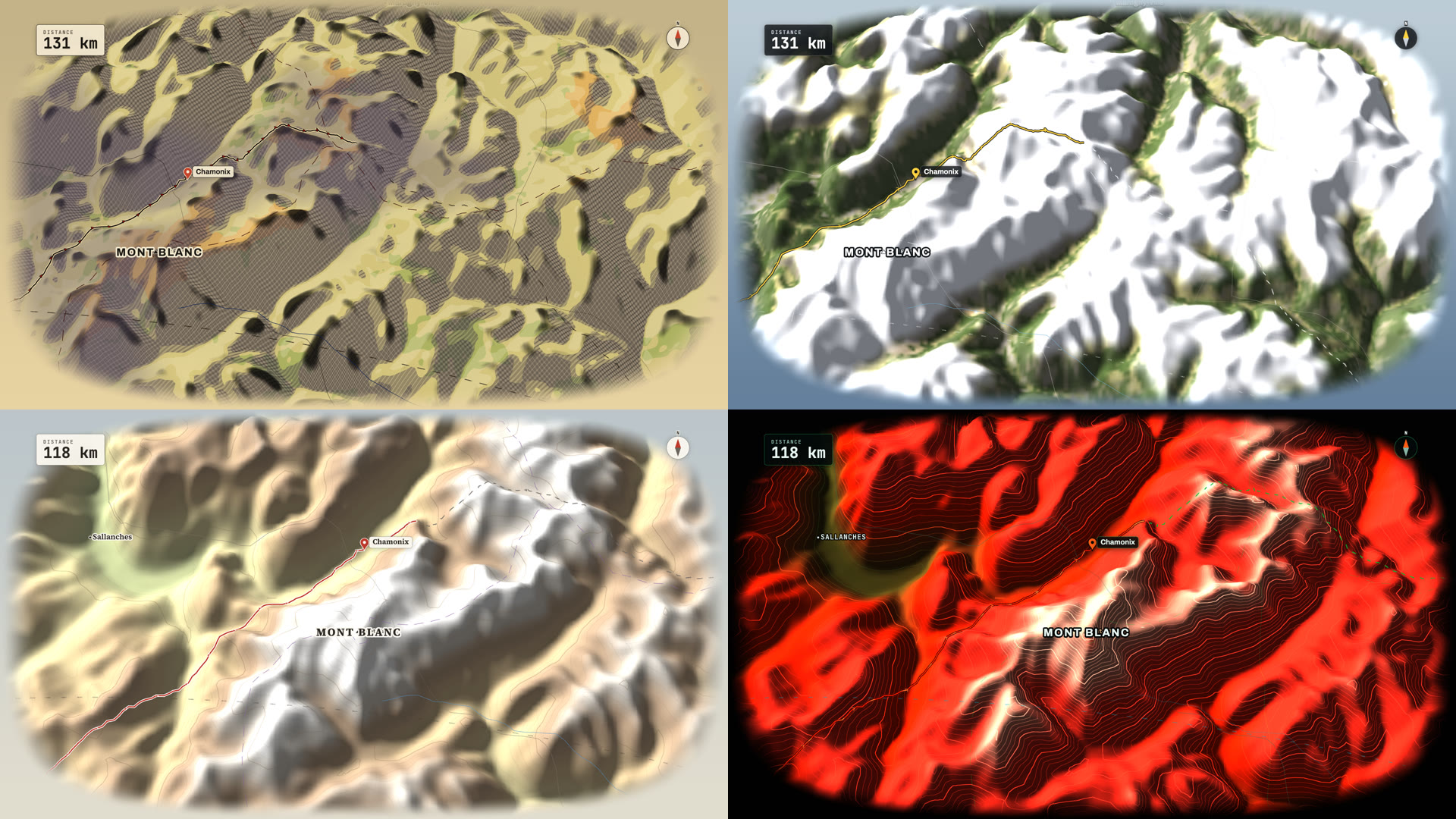
- Any region on Earth as a 3D terrain map, built in seconds, in ten styles (from hand-inked paper to a neon hologram)
- Routes with a mode per leg (ride, drive, walk, ferry, flight, dotted) and a 3D vehicle riding the line
- Pins, labels, callouts, distance lines, arrows, country and state highlights, counters, a compass, an elevation profile and a locator map
- Drop in geotagged photos and each one pins itself where it was taken, popping up as the route arrives
- A timeline with real keyframes, a voice-over track, and a camera that can follow your script: load the subtitles and it flies to each place as it is named
- Export 4K at up to 60 fps: ProRes 422 HQ, ProRes 4444 with alpha, HEVC, H.264 or PNG, stills up to 8K, and a credits file listing exactly the data your map used
Routes that follow the roads
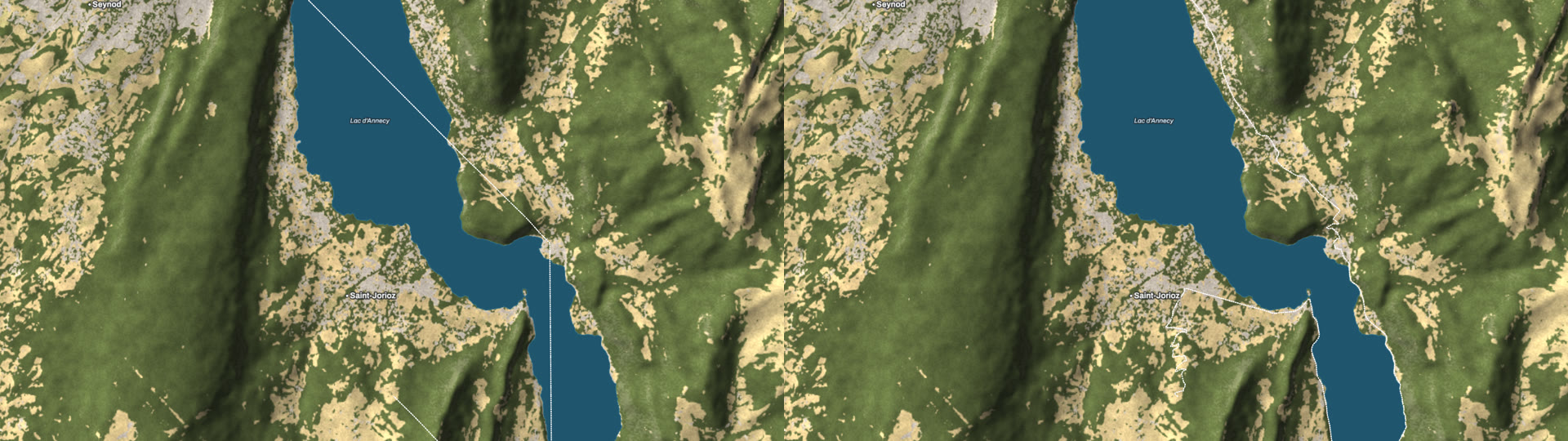
Clicking a road trip into a map used to mean straight lines between the clicks, cutting across lakes and mountains. Turn on Follow roads and each leg takes the real roads between your points, the way you were travelling: a drive keeps to the roads a car would take, a ride skips the motorways, a walk takes the footpaths. Drag a point and the leg finds its way again. The roads are OpenStreetMap's, read straight from Overture Maps' open data, a few megabytes for the area you are working on, then kept on your Mac.
Property lines, lakes and acreage
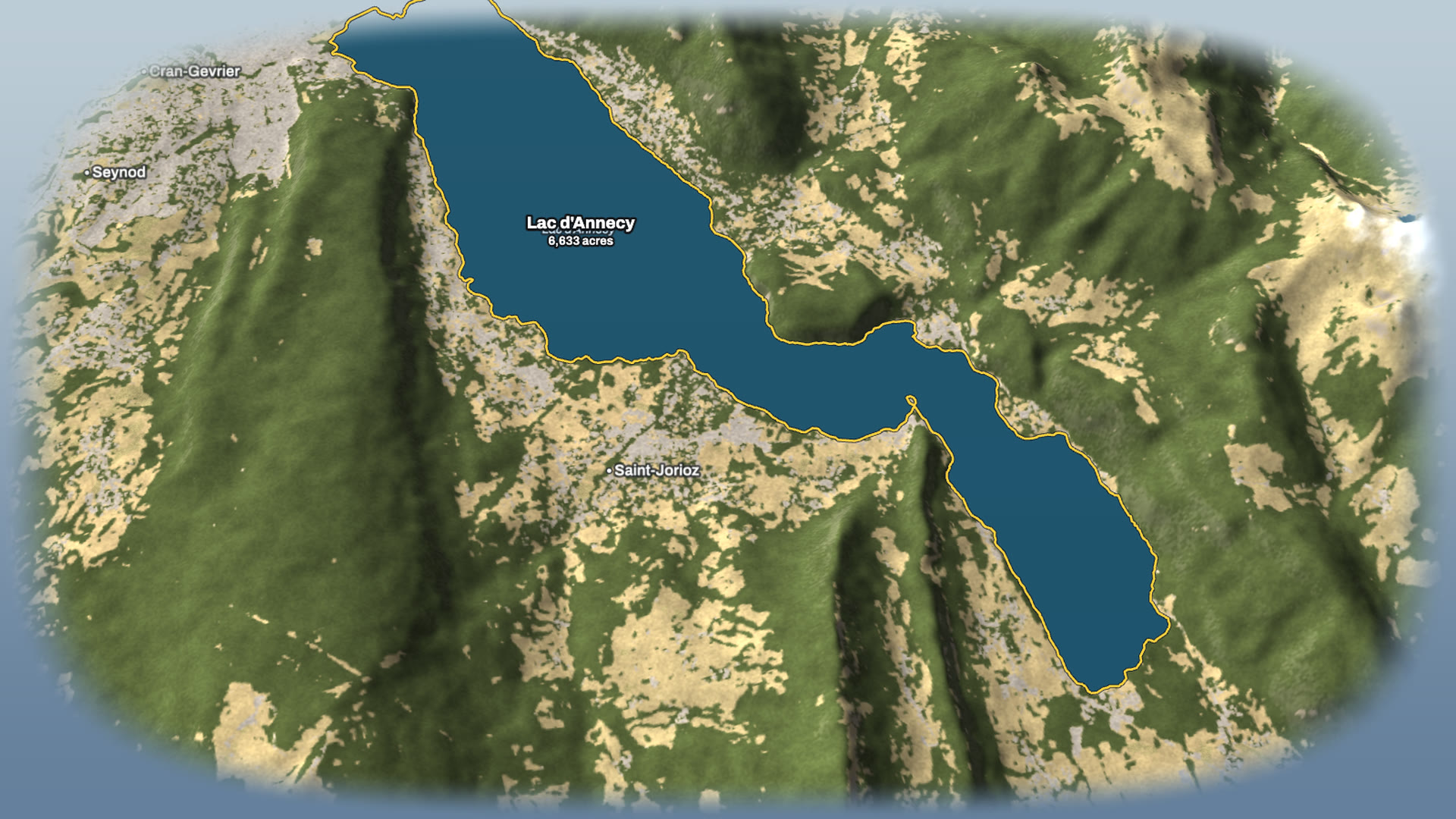
Real estate, farming and land stories need a boundary on the map. Draw one corner by corner, or import the KML or GeoJSON a surveyor sends you, and DISKO Maps outlines it, measures it (acres, hectares, km² or square miles, worked out on the true shape of the Earth) and draws it on in time with your edit. Click a lake and it takes the real shoreline and the lake's name.
Then take it into After Effects
When the edit needs more than a render, Export for After Effects writes a folder and a script that builds the whole scene as native layers: the terrain as a 3D model with the map's colours on it, the camera with the keys you set (not one per frame), the route as a shape layer you retime with Trim Paths, and every pin, label and callout as text and shape layers you can restyle. No plug-ins needed: it uses After Effects' own 3D.
Pick a place. Draw the trip. Hit export.
The fine print
DISKO Maps is free to download and use. Exports carry a small “Made with DISKO Maps” in the corner until you register: a serial is $9.99, once, and it arrives the moment you pay. It runs on Apple Silicon Macs. Building a new map and following roads for the first time need the internet (for the elevation, land cover and road data); after that, everything runs on your Mac. Every source it uses is open data, credited in the file that comes with each export.
DISKO Maps
Animated 3D travel maps · with a native After Effects export
Remove the watermark · $9.99 All apps