I built the screenwriting software I wanted, then made it free
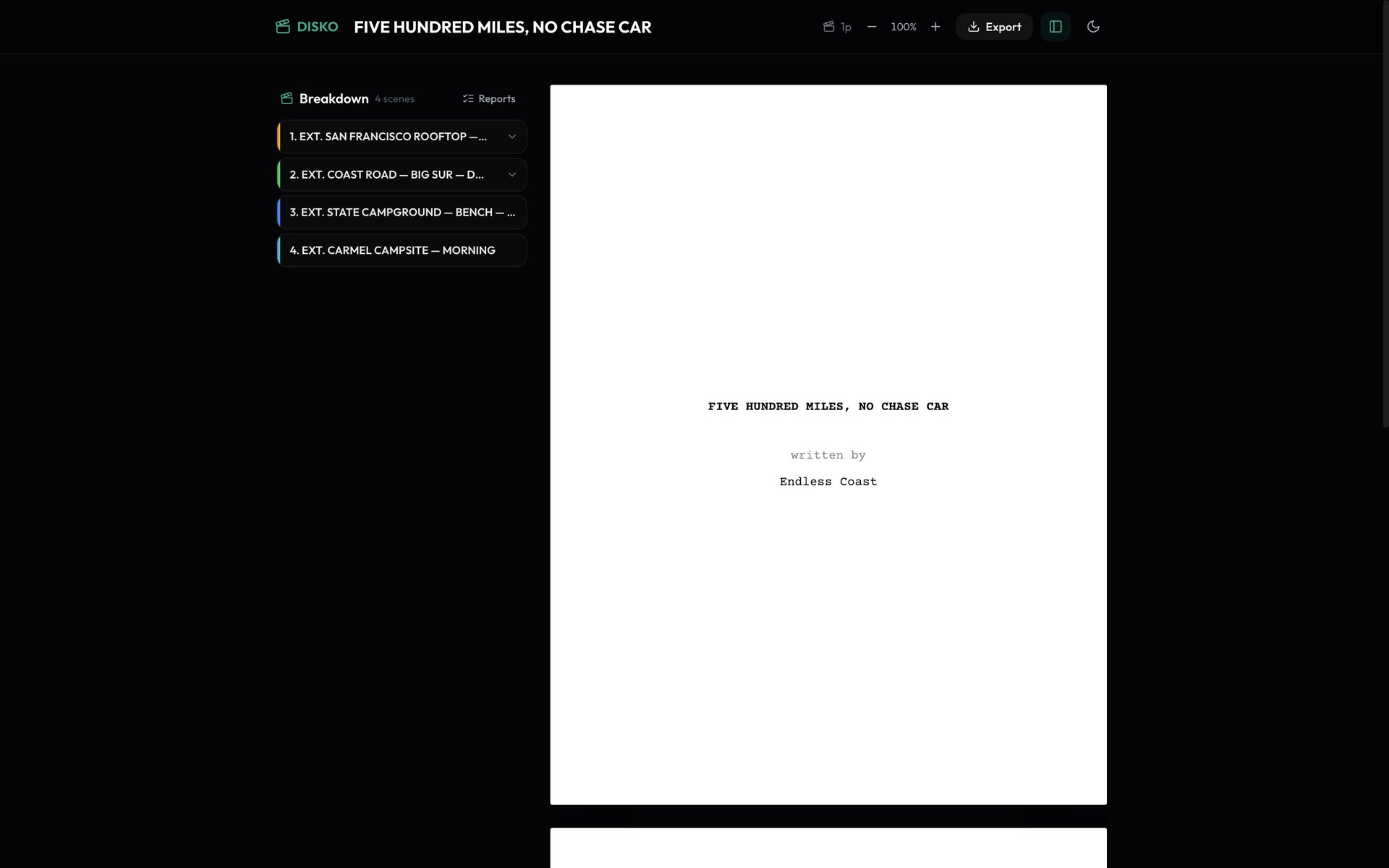
I have written scripts in Final Draft, in WriterDuet, in Celtx, in Google Docs with a Courier font and a prayer. Every one of them wanted a subscription, or a licence key, or a monthly reminder that my own screenplays were being held slightly hostage. At some point I noticed I was paying more per year to look at my scripts than the scripts had ever earned. So I did the obviously unhinged thing: I built a screenwriting editor into DISKO Cloud, imported all 52 of my own scripts into it, and decided it would be free. Not free tier. Free.
Here's the pitch, and I'll try to keep the marketing voice out of it, because screenwriters can smell that from the next room.
It formats like a real script, because that is the whole job
The page is a white Courier page on a dark app, laid out in characters the way a typewriter would have done it: scene headings and action flush left, characters at 22, parentheticals at 16, dialogue at 10 and 35 wide, transitions on the right, 55 lines to a page, page numbers top right. I checked it against printed studio pages until it lined up. It is not 'sort of like a screenplay'. It is a screenplay.
Typing works the way your hands already expect. Enter makes the next element and guesses the type — a character line becomes dialogue, dialogue becomes action. Tab cycles the element type. Cmd/Ctrl+1 through 7 are the Final Draft shortcuts (1 scene, 2 action, 3 character, 4 parenthetical, 5 dialogue, 6 transition, 7 shot). Character names autocomplete from the names already in the script, so TONY stops being TONNY on page 40. Cmd+K opens a scene navigator with page numbers so you can jump around a feature without scrolling like it's 2009.
- Traditional screenplay format, plus a proper two-column AUDIO | VIDEO format for commercials with running timecode and a :15 / :30 / :60 target
- Import .fdx (Final Draft), Fountain, PDF, and WriterDuet exports — your old scripts come in as real elements, not a wall of text
- Export PDF or RTF that opens cleanly in Final Draft, Word, or whatever the producer insists on; print straight from the browser on Letter
- Editable cover page, zoom, light and dark paper, and undo that understands script structure rather than characters
- Production breakdown reports — scene, character and location reports with page-eighths, exported to CSV or PDF, derived straight from the script
Share a link. That's it. That's the collaboration model.
Every script can have one link, and you pick what that link can do: read, comment, or edit. The person on the other end needs no account — they type a name and they're in. Comments live in a rail on the right, Google-Docs style, anchored to the exact line, threaded, resolvable. If you hand out an edit link, you get live co-writing: you see their cursor land on a line, their changes arrive as they type, and nothing gets lost if you both grab the same line at once. Turn the link off and every copy of it dies at that moment, including for the person currently looking at it.
You can put a password on a link too, so a draft you're shopping around isn't one forwarded email away from the whole internet. That's the whole thing I actually wanted from WriterDuet, minus the seat pricing.
It does not lose your pages
Autosave runs on every pause, and every unsaved change is also written to your browser's own storage before it goes anywhere near the network. Close the laptop mid-sentence on a plane; open it at the gate; the sentence is there and it syncs the moment you have signal. If the connection drops, the header says so in plain words — 'Offline, saved on this device' — instead of pretending. Your scripts are stored one element per row in a real database, not as a blob, which is a boring sentence that matters a great deal the day something goes wrong.
The AI part, which is optional and which you pay for yourself
There's a co-writer panel at the bottom of the comments rail. Select some lines, tell it what you want — punch this up, tighten it, give me notes — and it comes back with a rewrite, a copy edit, or commentary you can pin as a comment. Three modes, three providers (Claude, ChatGPT or Gemini), and one rule: it runs on your API key, straight from your browser to the provider. Nothing goes through my servers, I'm not paying for your tokens, and it never sees the whole script — only the lines you picked, the scene around them, and a one-line logline you write once. If you never open the panel, it never does anything. I built it because I use it. I made it BYO because generative slop should at least be slop you chose.
What it isn't
It's a web app, so it needs a browser — though once you've opened a script it works offline and syncs when you're back, so a plane is fine. Live co-writing is line-by-line rather than character-by-character, which is great for two people and would get exciting with twelve. The one studio thing it doesn't do yet is revision-colour pages (blue/pink/goldenrod locked revisions). If you need those today, Final Draft is still the answer and I won't pretend otherwise.
Try it on a real script
John August publishes Big Fish for exactly this reason, so it's loaded up as a public edit link — open it, click any line, and start typing. If you want the co-writer you'll need a free DISKO Cloud account and your own key; everything else works from the link. Then tell me what's missing. I'm one person, I write in this thing every week, and the feature list above is mostly a record of things that annoyed me on a Tuesday.
Never going to charge for it. I was sick of paying subscriptions to look at my own scripts.