Disko Tracks 1.0: tag, split, master and release your music — offline on your Mac
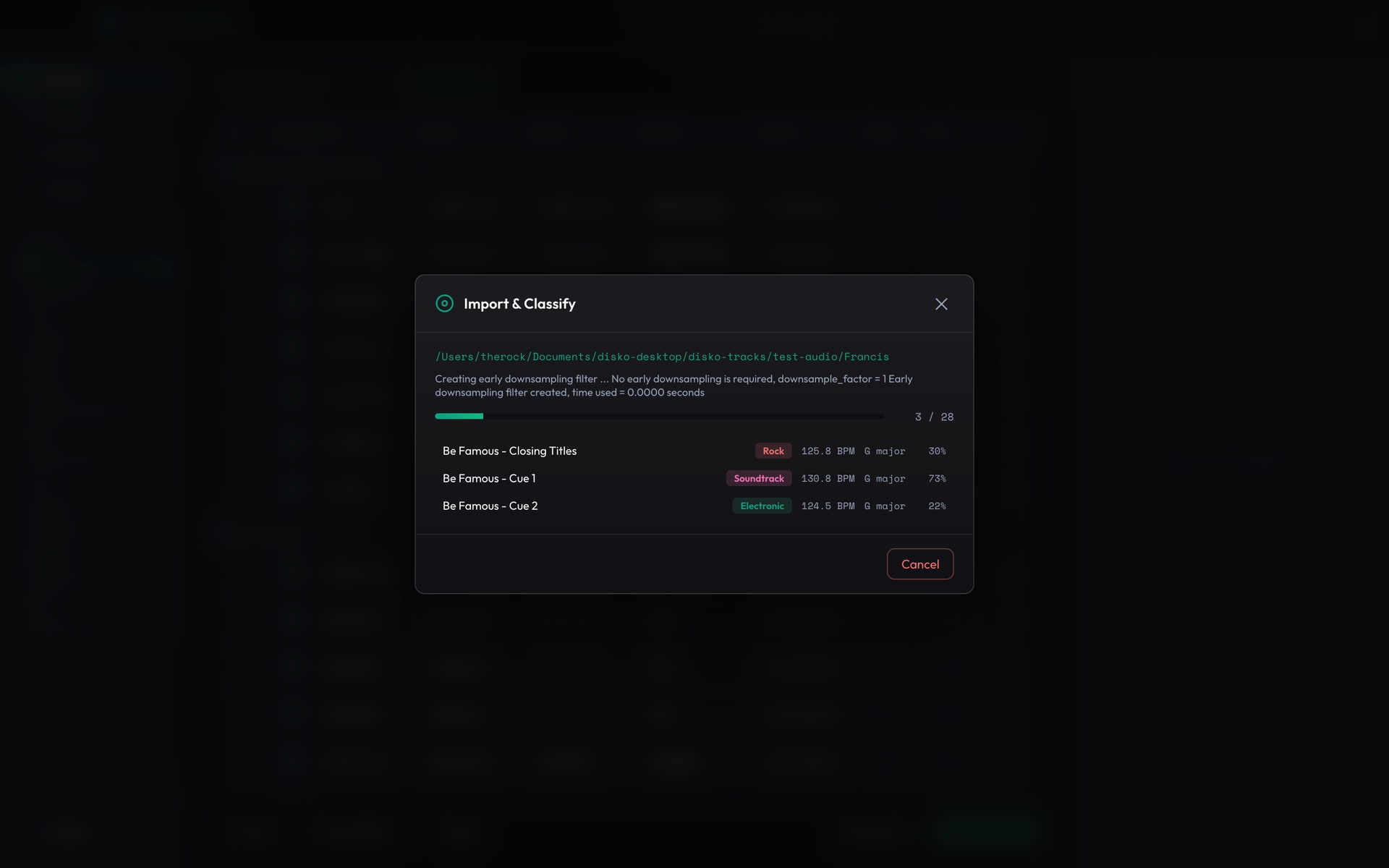
A while back we shipped a small app that auto-organized a music folder and prepped DistroKid releases. People liked it. Then they asked it to do more, and kept asking, and it quietly turned into the whole backline. So here's Disko Tracks 1.0 — the version that doesn't just file your music, it listens to it and does the boring studio jobs you keep putting off.
You know the folder. untitled_2.wav, FINAL_mix.wav, FINAL_mix_REAL.wav, and forty things called bounce. Somewhere in there is the best song you ever made, and you can't find it, can't tag it, and couldn't tell you what key it's in. That's the problem Tracks was born to fix. It just fixes a lot more of it now.
It listens first
Point it at your library and it plays each track for itself. Genre and style come from the audio, not the filename, using an on-device CLAP model — a dozen genres and eighty-odd styles. It clocks the BPM, finds the musical key (with the Camelot code, for the DJs), reads the time signature, and pulls whatever album and track tags already exist. No typing, no auditioning every file by hand.
- Genre + style tags straight from the audio (CLAP) — no metadata required
- BPM, musical key + Camelot code, and time signature, detected per track
- Acoustic duplicate detection folds near-identical takes and keeps the best-sounding one
- Albums grouped automatically; a Library grid you can sort, filter, group and bulk-edit
Then it does the studio work
This is the part that used to mean other apps, other subscriptions, or other people. Split any track into stems — vocals, drums, bass, guitar, piano and the rest — and play or export each one. Turn those melodic stems into MIDI to rebuild a part or re-voice it in your DAW. And when you're happy with a mix, run it through a mastering pass: it measures the loudness and tonal balance, matches it toward a target (or toward a reference track you love), glues it together and brings it up to a streaming-ready level with a true-peak ceiling — no plugins, no meter you have to read.
- Stem separation into up to six parts (Demucs), each with play, download and reveal
- Stems to MIDI — a file per stem plus a combined multi-track .mid
- One-click mastering with Streaming / Apple / Loud / Gentle presets, or master to a reference
- A Release QA read on loudness and true-peak so you know it'll survive Spotify's turn-down
It even writes down the words
New in 1.0: Tracks can hear the lyrics. It isolates the vocal, runs a local speech model over it, and writes the words out for you — formatted into verse-and-chorus-style lines by listening for the pauses, not dumped as one run-on paragraph. Edit them, save them into the file's tags, or export a .lrc or .txt. It's the fastest way we know to turn a mumbled scratch vocal into a lyric sheet.
And then the paperwork nobody likes
When it's time to distribute, every DistroKid field is right there and editable, with per-field copy, a Copy All, and CSV export. Standalone tracks become Singles; grouped ones become EPs and Albums. Your artist identity — name, bio, photos, links — lives in a Profile you fill in once. Organize writes a clean, release-ready package you hand straight to upload. There's no magic 'post to Spotify' button, because no honest one exists — but everything up to the upload is done for you.
Local-first, and it means it
Every one of those steps — the tagging, the key detection, the stems, the MIDI, the lyrics, the mastering — runs on your Mac. Your music is never uploaded anywhere. The only time Tracks touches the internet is the first run, when it downloads the free ML models it needs; after that it works on a plane. Apple Silicon only, and there's no Homebrew, no Python, no FFmpeg to install — it's all bundled. And it is relentlessly non-destructive: stems, MIDI, masters and lyrics are written to a separate store. Your original files are never modified and never deleted.
From a cursed folder of bounces to a tagged, mastered, lyric-sheeted, release-ready catalog — without your music ever leaving your Mac.
Disko Tracks is free, macOS (Apple Silicon), and from the same shop as the rest of the DISKO tools. If the last version organized your library, this one runs the whole backstage.