Media asset management when your footage archive hits terabytes
I have a shelf. On the shelf are eleven external drives. A few are labeled — WEDDINGS 2, BACKUP, BACKUP (new), and one genuinely frightening one that just says misc. Somewhere across those ~8 terabytes is every paying job I've shot in four years, and my entire system for finding anything is "I think it was on the blue one?"
If you shoot for a living, you know this shelf. It's not that we're disorganized — it's that media asset management quietly stops being a folder problem somewhere north of a couple terabytes, and nobody warns you when you cross the line.
Folders and spreadsheets work right up until they don't
It always starts clean. YYYY-MM-DD_Client folders. A naming convention you're proud of. Then real life: someone hands you a second card mid-shoot, you dump it to the desktop "just for now," a drive fills so the overflow lands somewhere else, and you rename half a project at 1 a.m. and forget the other half. The convention was never the problem. Tuesday was the problem.
A spreadsheet catalog has the same fate. It's pristine for one week, then it becomes another thing you have to remember to update, which means it's wrong forever. And the cost of all this isn't storage — storage is cheap. It's the forty minutes scrubbing through drives when a client emails "hey, can you send that one shot of the dog from the 2022 thing?" You billed for the edit. The archaeology is free.
Why I bounced off the big DAM tools
I tried the proper digital asset management route. A few things sent me running:
- The cloud ones want you to upload the terabytes. That's a month of uploading and a subscription you pay until you die, to access footage that's already on your desk.
- Half of them are built for stock agencies or 50-person teams — permission tiers and approval chains I will never use as a one-person shop.
- Most don't watch the drives you already have. They want you to re-import everything into their world and maintain it by hand. See: the spreadsheet, but worse.
- The ones that do index locally tend to choke or crawl once you're past a few thousand files — which is week one for a video person.
The thing that finally made the archive searchable
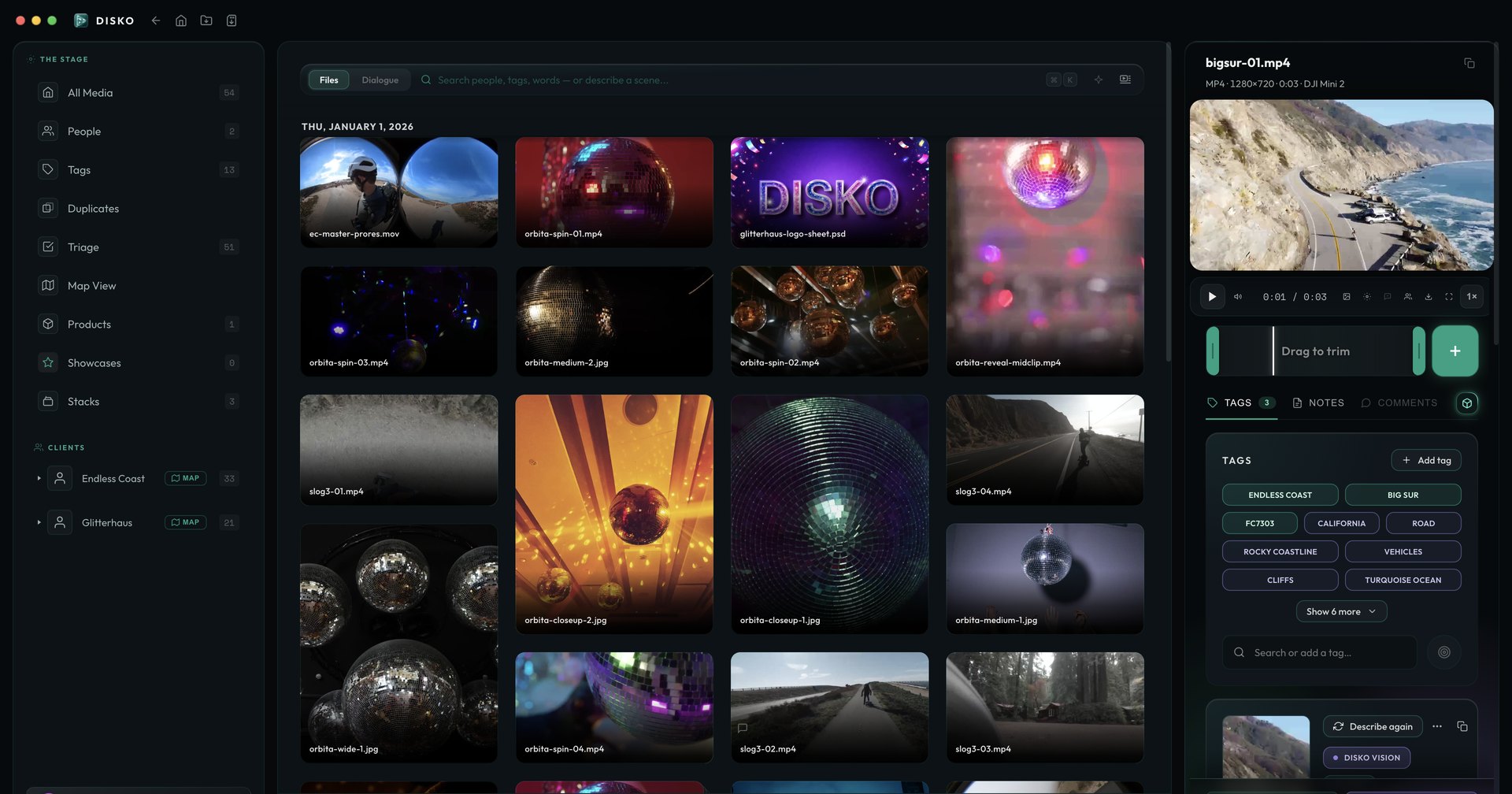
What changed it for me wasn't a tidier folder structure — it was tagging that happens without me. Tags pulled from what's actually in the frame, transcripts I can full-text search, faces grouped automatically so "the dog from 2022" is a literal search query and not a memory test. And crucially, something that indexes the messy drives I already have instead of demanding I reorganize my entire life first.
That's the bet DISKO Desktop makes: point it at the chaos, let it tag, transcribe and recognize in the background, locally, and the graveyard turns into something you can actually query. It's not magic — it's just the boring indexing work done for you while you sleep, and the footage never leaves the drive it's already on.
Storage is cheap. Finding the one clip you need at 11 p.m. is the actual product.
DISKO Desktop
Professional Media Asset Management for Mac
Start free 7-day trial Open DISKO Cloud All apps