Premiere Pro's Project Manager is heinous. After Party packs your sequences for free.
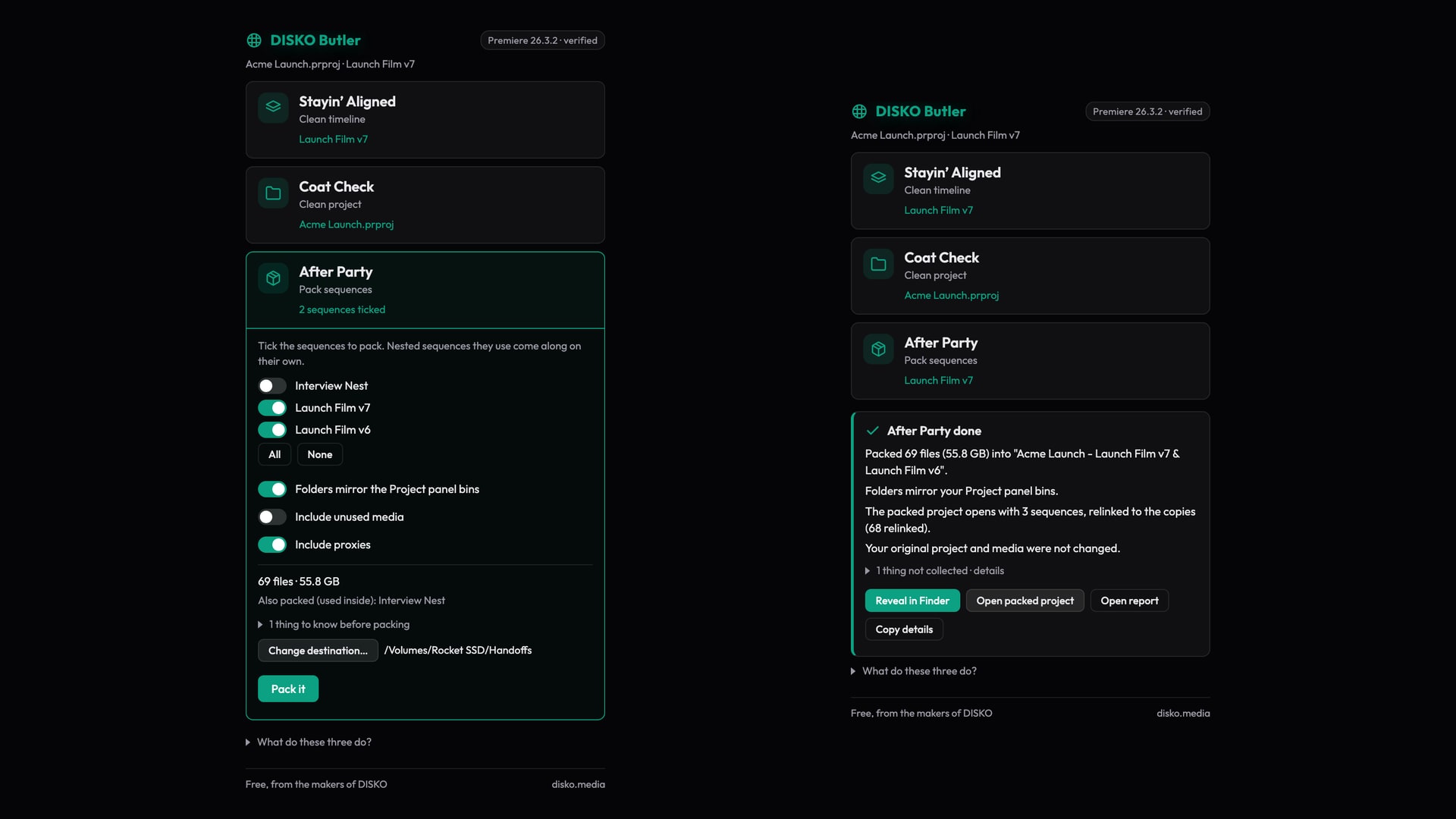
Hand-off day. The cut is locked, the client wants the project and every frame it touches on a drive, and you know the drill: File ▸ Project Manager, tick a few boxes, go make a coffee, come back to a folder you cannot hand to anyone. Premiere Pro has shipped that dialog for twenty years and it is still, to use the technical term, heinous.
What Project Manager actually does to your project
It builds its own folder tree from wherever the files happened to live on disk, not from the bins you spent a week organizing. Your neat FOOTAGE ▸ Day 2 ▸ A-cam becomes a pile of folders named after card dumps and desktop leftovers, and the person receiving the drive gets to reverse-engineer your project from scratch.
Tick "Exclude Unused Clips" and it starts cutting your media down to what the timeline uses. On some formats that means new, re-wrapped or transcoded files; on others it silently copies the whole thing anyway, so you never quite know what you are getting. File names are not guaranteed to survive the trip. Anything it cannot handle is skipped without a list, and when it stops halfway through a big drive, there is no resume: you empty the folder and start again.
Editors have paid for third-party packers for years because the built-in one cannot be trusted with a hand-off. That is a strange thing to pay for.
After Party: tick the sequences, get a folder that looks like your project
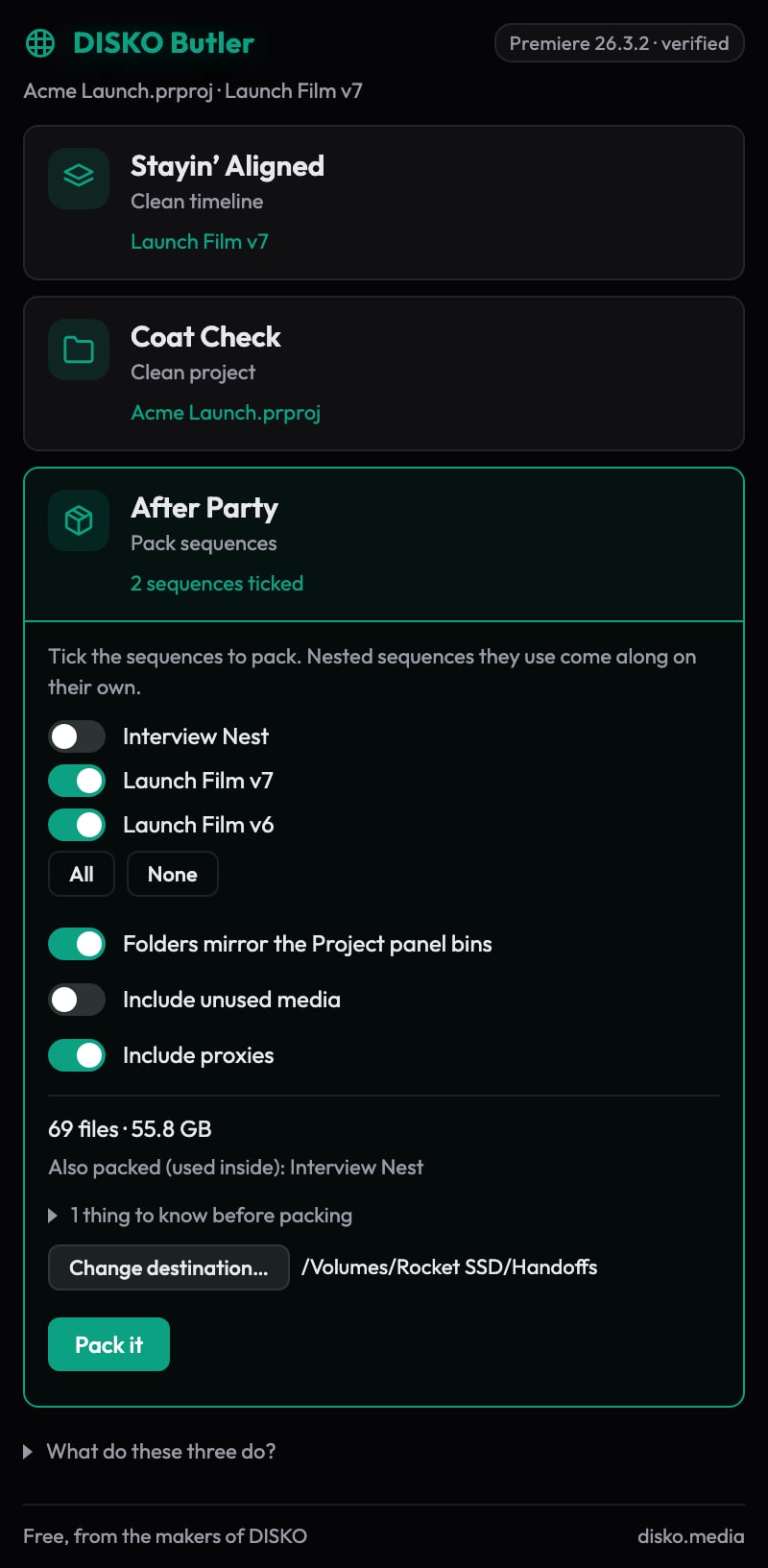
After Party is one of the three buttons in DISKO Butler, our free Premiere Pro panel. Open it and every sequence in the project gets a switch. Tick two, tick twelve; nested sequences come along with their parents. The panel counts what those sequences use, every camera file, sound, image, graphic, proxy and sidecar, and tells you the total before anything is copied.
Then it copies into a folder that mirrors your Project panel bins. FOOTAGE ▸ Day 2 ▸ A-cam on the drive is FOOTAGE ▸ Day 2 ▸ A-cam in the project. Sequences keep their bins too, precomps and drafts included. A small project file sits at the top of the folder, opened with just the sequences you ticked and relinked to the copies, so the drive works on a machine that has never seen your original media. Two other layouts are one click away: like the original drive, folder for folder with card structures intact, or sorted by type, FOOTAGE by camera, SOUND split into music, effects and dialogue, GRAPHICS, IMAGES.
- Files keep their names. Two cards with a C0001.MP4 each get their own folder instead of a suffix, unless you choose Make unique, which numbers the duplicates and renames their sidecars to match.
- Nothing is ever overwritten. A different file already at the destination is left alone and the copy lands beside it.
- Camera structures travel whole: RED .RDC folders with their spans, P2 cards with their audio, AVCHD trees, image sequences as runs, Sony and DJI sidecars beside their clips.
- Cancel between files and run it again later to the same folder; what already landed is skipped.
- Your original project and media are never touched. Not backed up first, never edited, by design.
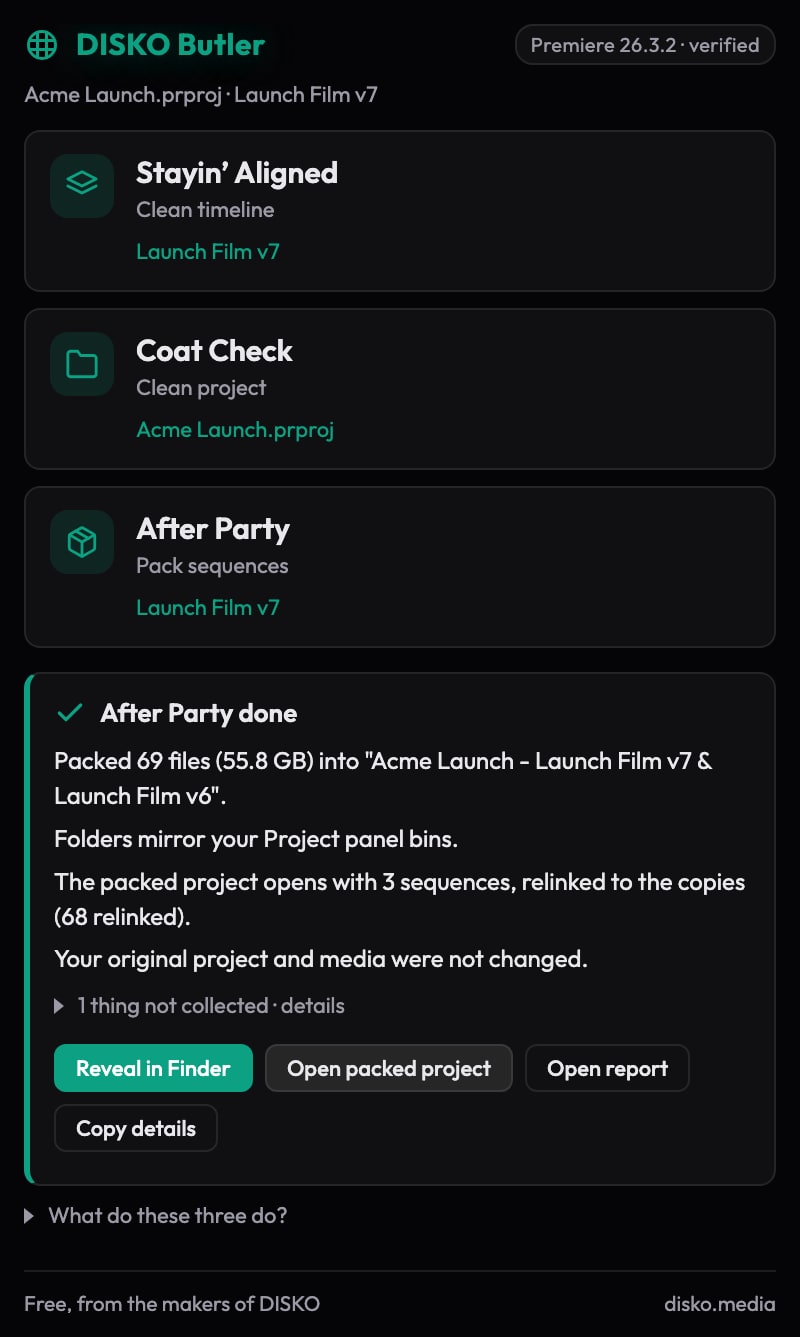
On a real hand-off this week, a 306-file, 290 GB launch edit with seven sequences went onto a portable SSD in about nine minutes, folders matching the Project panel, packed project opening with nothing offline. The report at the top of the folder maps every original path to its copy and lists the handful of things no packer can collect: fonts inside motion graphics templates, LUT files, third-party plug-ins and the audio behind merged clips.
New in Butler 1.2
After Party picked up the options editors kept asking for. All of them are free, and a plain pack still works the way it did.
- Proxies only: a travel pack that copies just the proxies. Every clip still points at its original, with the proxy attached, so the project reconnects to full quality when you get home.
- Make unique: duplicate file names from different cards get (2), (3) and so on, with their sidecars renamed to match.
- An XML of each sequence, saved beside the packed project, for DaVinci Resolve and other editors.
- Verify copies: every file is read back and checked against its original, and a checksums.md5 file lets anyone check the drive again later.
- Leftovers: a list of media sitting in your footage folders that nothing in the project uses. Butler never deletes anything.
- LUT and font check: LUT files your grade points at are copied into a LUTS folder, and the fonts your titles use are listed, so the next editor knows what to install.
- Presets and a queue: save the settings you use for each kind of hand-off, and line up several packs to run one after another.
Free, offline, no account
DISKO Butler needs Premiere Pro 26.3 or later on macOS. It never goes online, it does not phone home, and it comes with the two other buttons, Stayin' Aligned for cleaning up a timeline and Coat Check for sorting the Project panel, described in the post that introduced it.
- Open the disk image and double-click Install DISKO Butler.pkg. It is signed and notarized and installs the panel for your user; nothing runs in the background.
- Open Premiere Pro and choose Window ▸ UXP Plugins ▸ DISKO Butler.
- Click After Party, tick your sequences, choose a destination, click Pack it.
If a pack ever comes out wrong, the result card has a Copy details button. Paste that into an email to support@disko.media and we will fix it.